AI Keyboard: Writing Assist
Grammar Check & Spell Correct

Free iPhone app · Productivity · by Stephen Kuyper · version 1.6 · 64.2 MB · requires iOS 15.6 or later · rated 4+
4.5 out of 5 from 2 App Store ratings.
Download AI Keyboard: Writing Assist on the App Store
About AI Keyboard: Writing Assist
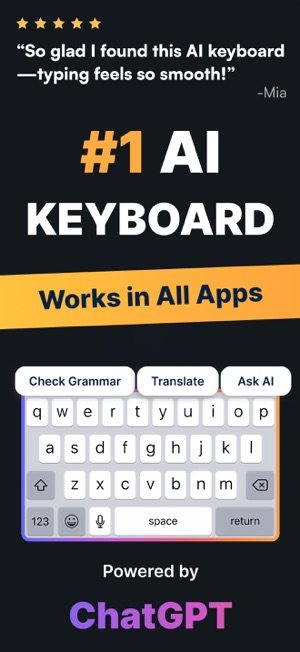
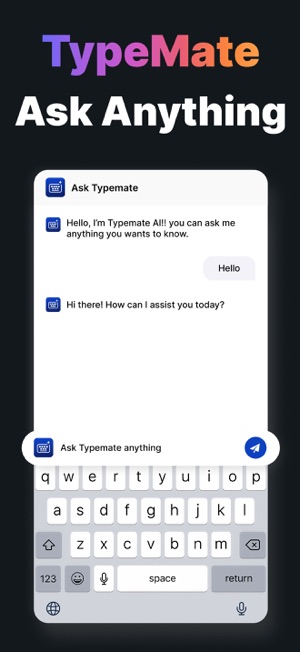
AI Keyboard: Writing Assist is your all-in-one AI writing assistant, grammar checker, and text translator. Instantly correct spelling, rephrase messages, and translate text — all inside your keyboard. Write better, faster, and smarter with real-time AI suggestions.
Main Features
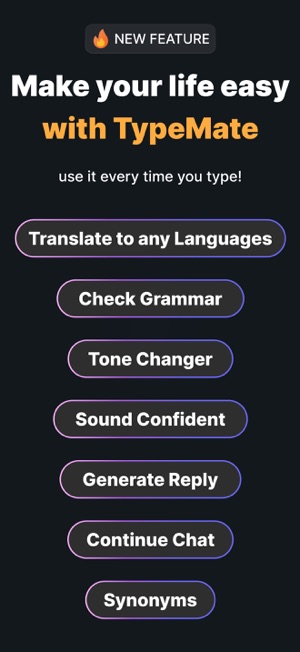
• AI Writing Assistant – Compose emails, chats, or posts with polished grammar and tone using smart AI suggestions.
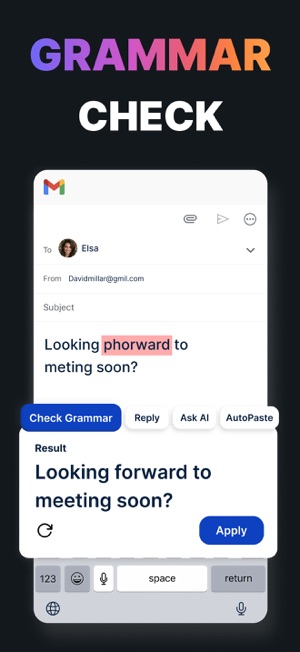
• Grammar & Spell Checker – Catch typos, fix punctuation, and improve clarity in every sentence.
• Instant Translation – Type in your language and get live translations for global conversations.
• Message Tone Editor – Adjust tone (formal, friendly, or concise) to suit any chat or audience.
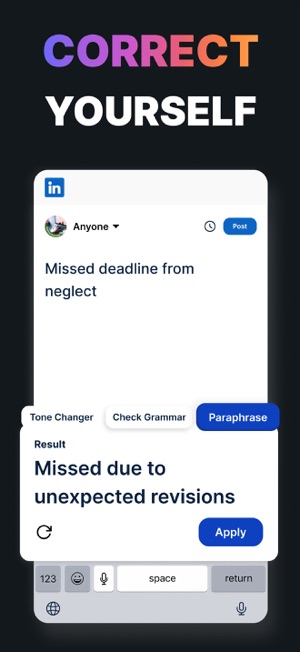
• Paraphrasing & Rewriting Tool – Instantly reword text for clarity or creativity.
• Smart Text Completion – Get predictive phrases and full-sentence completions while typing.
• Multi-App Support – Works seamlessly in chat, social, email, and notes apps.
• Privacy-Focused Design – Your keystrokes stay private; nothing is stored or shared.
Why Users Love It
Tired of switching between apps to fix grammar or translate messages? With AI Keyboard: Writing Assist, you can write confidently in any language, tone, or context. Whether you’re drafting a professional email, chatting with friends, or writing content on the go, this keyboard adapts to your style.
Perfect for writers, professionals, and everyday texters who want smooth, error-free, and expressive communication — powered by AI.
Download Today
Upgrade your typing experience with AI Keyboard: Writing Assist. Write naturally, communicate clearly, and translate instantly — all from your keyboard.
Download today and let AI do the typing magic for you.
Subscription Info
Subscribe to get Pro access to all features. You will be charged after purchase confirmation. Subscriptions auto-renew 24 hours before the expiration date. You can manage your subscriptions in Account Settings on the App Store.
Privacy Policy: https://sites.google.com/view/typemate-ai-keyboard-writer/privacy-policy
Terms & Conditions: https://sites.google.com/view/typemate-ai-keyboard-writer/terms-conditions
Key features
- AI Writing Assistant – Compose emails, chats, or posts with polished grammar and tone using smart AI suggestions.
- Grammar & Spell Checker – Catch typos, fix punctuation, and improve clarity in every sentence.
- Instant Translation – Type in your language and get live translations for global conversations.
- Message Tone Editor – Adjust tone (formal, friendly, or concise) to suit any chat or audience.
- Paraphrasing & Rewriting Tool – Instantly reword text for clarity or creativity.
- Smart Text Completion – Get predictive phrases and full-sentence completions while typing.
- Multi-App Support – Works seamlessly in chat, social, email, and notes apps.
- Privacy-Focused Design – Your keystrokes stay private; nothing is stored or shared.
What's new in version 1.6
Smarter AI suggestions, faster keyboard performance, and bug fixes.
Screenshots
Ratings and reviews
4.5 out of 5 from 2 App Store ratings.
No written reviews yet. Be the first to review it on the App Store.
Information
- Developer
- Stephen Kuyper
- Category
- Productivity
- Price
- Free
- Size
- 64.2 MB
- Languages
- Age rating
- 4+
- First released
- 2025-07-26
- Last updated
- 2026-06-19
- Privacy policy
- https://sites.google.com/view/typemate-ai-keyboard-writer/privacy-policy
Frequently asked questions
What is AI Keyboard: Writing Assist?
AI Keyboard: Writing Assist is your all-in-one AI writing assistant, grammar checker, and text translator. Grammar Check & Spell Correct.
Is AI Keyboard: Writing Assist free?
Yes, AI Keyboard: Writing Assist is free to download on the App Store. Check the listing for optional in-app purchases.
Which devices does AI Keyboard: Writing Assist support?
iPhone Requires iOS 15.6 or later. iPod touch Requires iOS 15.6 or later. Mac Requires macOS 12.5 or later and a Mac with Apple M1 chip or later. Apple Vision Requires visionOS 1.0 or later.
Who makes AI Keyboard: Writing Assist?
AI Keyboard: Writing Assist is developed by Stephen Kuyper. Website: https://adxsdk.com/.
What's new in AI Keyboard: Writing Assist?
Version 1.6 (updated 2026-06-19): Smarter AI suggestions, faster keyboard performance, and bug fixes.
 To-Do List & Calendar: Cale
 AI Dating Chat Keyboard
 Email Dual Space - MailNest
 Sync Contact for Google & more